How to reset Trip Test History on STU
This article provides a step-by-step tutorial on how to reset the trip test history on an STU. Some customers may prefer to clear this history before delivering the product to their end users, and this guide outlines the process for doing so.
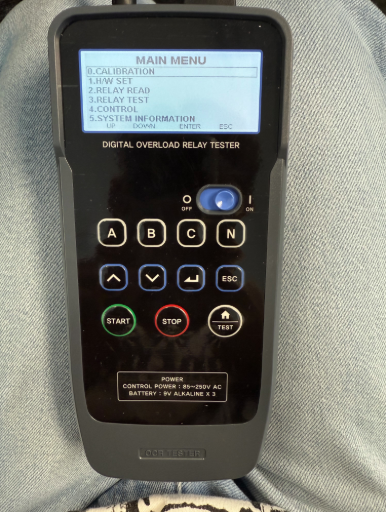
Step 1: Connect power to the IPOT tester and plug the signal cable from the IPOT tester into the STU.
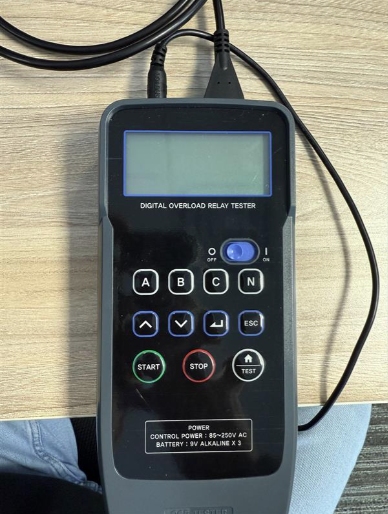
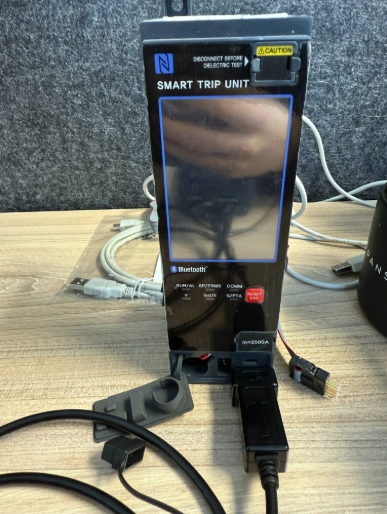
Step 2: Turn on the IPOT tester and verify that it connects to the STU. The trip unit should power on once the connection is established.
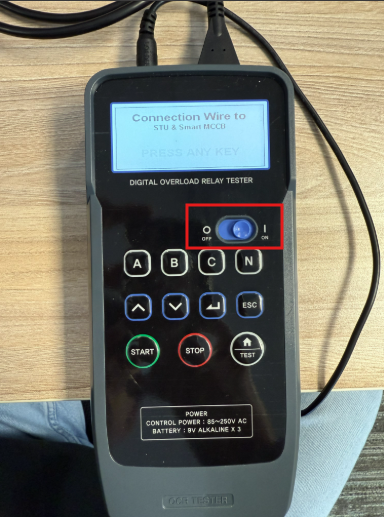
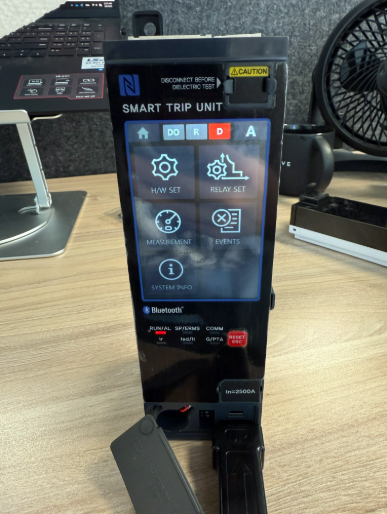
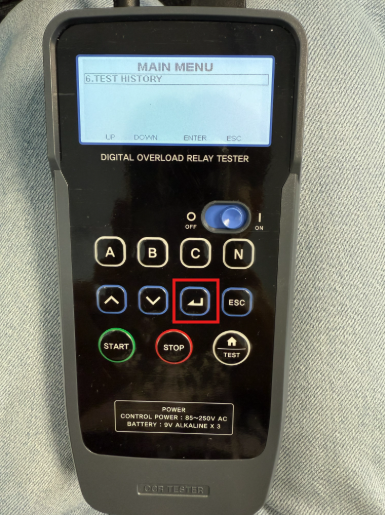
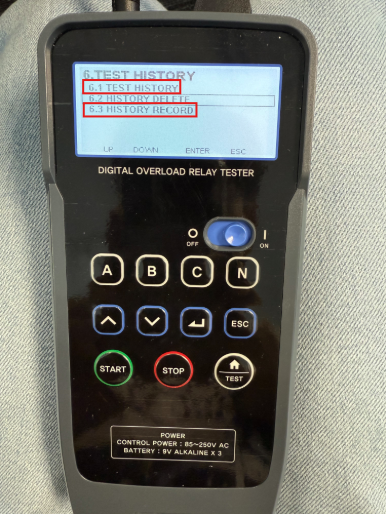
Step 3: Navigate to Menu Option 6: "Test History" and press Enter (use the button outlined in red on the device).
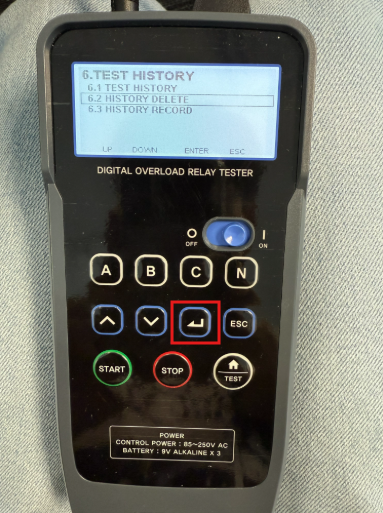
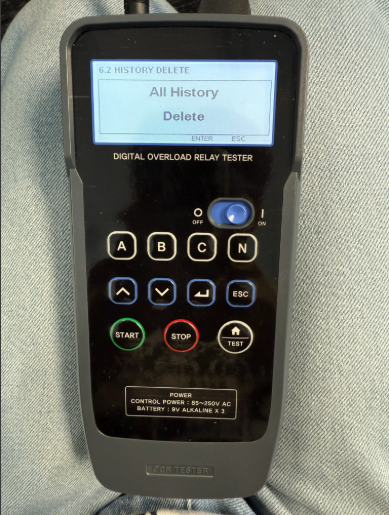
Step 4: Select 6.2 "History Delete" and press Enter.
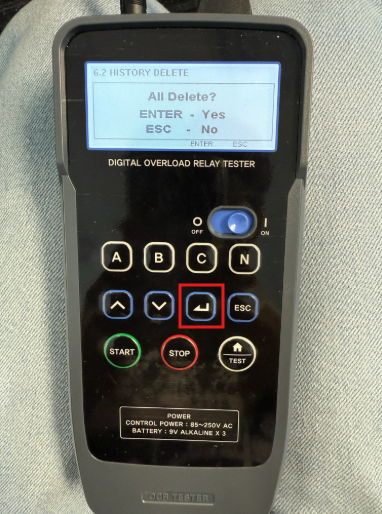
When prompted with "All Delete?", press Enter again.
If successful, the screen will display "All History Delete."
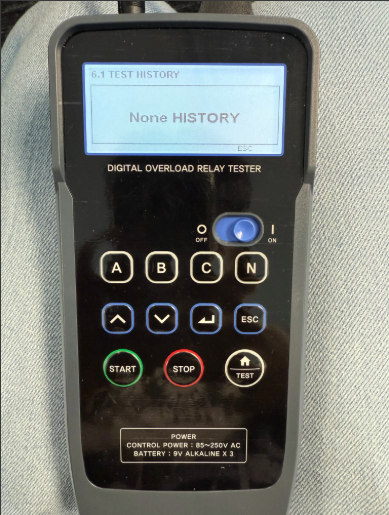
Step 5: To confirm the reset, go to 6.1 "Test History" or 6.3 "History Record".
The screen should display "None History", confirming that all test history has been cleared.
Step 1: Connect power to the IPOT tester and plug the signal cable from the IPOT tester into the STU.
Step 2: Turn on the IPOT tester and verify that it connects to the STU. The trip unit should power on once the connection is established.
Step 3: Navigate to Menu Option 6: "Test History" and press Enter (use the button outlined in red on the device).
Step 4: Select 6.2 "History Delete" and press Enter.
When prompted with "All Delete?", press Enter again.
If successful, the screen will display "All History Delete."
Step 5: To confirm the reset, go to 6.1 "Test History" or 6.3 "History Record".
The screen should display "None History", confirming that all test history has been cleared.